

 South Korea
 USA
USA Canada
 Australia
 UK
UK Europe
 New Zealand
 Japan
Japan Singapore
 UAE
UAE India
IndiaAspekt Touch 32인치 4K UHD 도킹 모니터(터치스크린 및 145W USB 충전 포함)




Aspekt Touch 32인치 4K UHD 도킹 모니터(터치스크린 및 145W USB 충전 포함)
Aspekt Touch 32인치 4K UHD 도킹 모니터(터치스크린 및 145W USB 충전 포함)
수령 가능 여부를 로드할 수 없습니다.
사양
사양
32인치 4K UHD 도킹 모니터
Mac 및 Windows용 직관적인 터치 스크린
Aspekt Touch의 정밀한 10포인트 터치 스크린을 사용하여 완전히 새로운 방식으로 컴퓨터를 탐색하세요. Mac을 사용하든 Windows를 사용하든 Aspekt를 사용하면 휴대전화나 태블릿에서 이미 즐겨 사용하는 모든 멀티터치 단축키를 탭하고, 핀치하고, 스와이프하고 사용할 수 있습니다.


디지털 크리에이티브를 위한 정밀 터치스크린
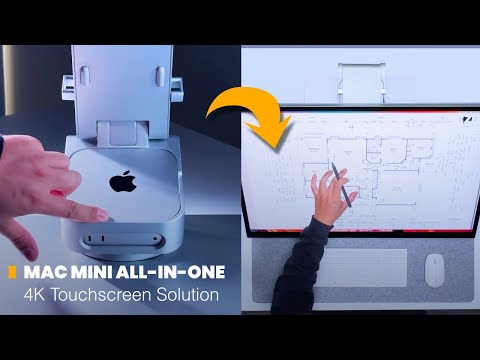
우리와 짝을 이룰 때 ALOGIC Active Stylus의 4096단계 압력 감도, Aspekt Touch는 프레젠테이션에서 청사진에 이르기까지 문서 스케치, 페인팅 또는 마크업에 이상적인 32인치 스케치패드로 변환됩니다.


16:9
종횡비
3840x2160
해상도
137PPI
픽셀 밀도
400니트
밝기
1000:1
명암비
14ms
응답 시간

사용자 정의 가능한 Mac 제스처
Mac과 페어링하면 강력한 Clarity Touch 드라이버를 사용하여 맞춤형 멀티 터치 단축키를 만들 수 있습니다. 세 손가락 탭으로 Teams에서 자신을 음소거하거나 Photoshop에서 위로 살짝 밀어 새 레이어를 만들어 창의적인 작업 흐름을 간소화하세요.
믿을 수 있는 색상
사진가, 비디오그래퍼, 일러스트레이터 및 디자이너의 요구를 충족하도록 설계된 Aspekt의 화면은 평균 Delta E를 갖춘 강력한 색 영역 범위(100% sRGB, 95% DCI-P3)를 자랑합니다. < 2로 디지털이나 인쇄에 일관되게 사실적인 다양한 색상을 제공합니다.


지속 가능한 알루미늄


진정한 도킹 모니터
알루미늄 프레임 안에 숨겨진 전체 도킹 스테이션을 갖춘 Aspekt는 단일 USB-C 연결을 통해 컴퓨터를 두 번째 모니터(데이지 체인), 90W 노트북 충전, 55W 액세서리 충전, 빠르고 안전한 이더넷 및 최대 4개의 USB-C 및 USB-A 액세서리에 연결합니다.
비디오 포트

HDMI

디스플레이포트
(에서)
디스플레이포트
(데이지 체인)

USB-C
액세서리 포트
USB-C 2개

USB-A 2개

RJ45 이더넷

3.5mm 오디오

2x 켄싱턴
보안 슬롯


모니터 2개, 케이블 1개
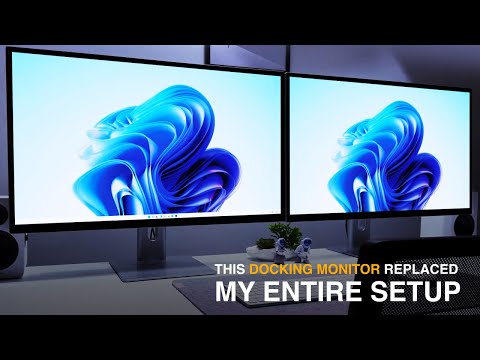
Aspekt는 Windows 컴퓨터의 데이지 체인 지원 덕분에 더욱 깔끔한 책상을 구축할 수 있도록 해줍니다. 여러 비디오 케이블을 컴퓨터에 연결하거나 듀얼 디스플레이 도크에 투자하는 대신 USB-C 또는 DisplayPort를 통해 Windows 컴퓨터를 Aspekt에 연결하기만 하면 DisplayPort를 통해 추가 4K 디스플레이 하나 또는 2x QHD 디스플레이에 Aspekt를 직접 연결할 수 있습니다.
접근 가능한 액세서리
Aspekt에는 일상적인 액세스를 위해 측면에 USB 포트가 내장되어 있으며, 장기간 액세서리를 사용할 수 있도록 모니터 뒤에 또 다른 두 개의 포트가 숨겨져 있습니다.


세계 최초의 145W 충전 모니터
사무실의 핵심인 Aspekt는 도킹 스테이션의 역할을 할 뿐만 아니라 145W USB 충전 스테이션으로도 기능하여 노트북용 90W 충전, 태블릿용 30W USB-C 충전, 휴대폰 충전 15W USB-C, 스타일러스, AirPods 또는 웹캠과 같은 저전력 액세서리용 2x5W USB-A 충전 기능을 제공합니다.
완벽하게 연마


Aspekt의 제작된 알루미늄 본체는 화면의 이미지만큼이나 깊은 인상을 줍니다. 스페이스 그레이 또는 실버 색상으로 제공되는 Aspekt는 미니멀하고 소재 지향적인 디자인으로 MacBook 또는 Mac Mini를 보완하도록 설계되었습니다.
인체공학을 선택하세요

스탠드 올리기

접이식 스탠드

옴니 2-in-1


인체공학적 높이

세로 방향으로 회전

완전히 조정 가능

하이브리드 접이식 스탠드

그리기에 딱 맞습니다

마그네틱 케이블 가이드


M4 Mac 미니 마운트
하이브리드 접이식 스탠드
그리기에 딱 맞습니다

General
The Aspekt Raise Stand offers greater height and tilt/swivel adjustment, making it more comfortable for ‘regular’ monitor use with occasional, short periods of touchscreen use – such as scrolling a webpage or switching windows.
The Aspekt Fold Stand is a must-have if you intend to use Aspekt with a stylus for a significant period of time, as it’s fold-down mode will be vastly more comfortable and make the stylus easier to control. Its ‘upright’ mode also positions the monitor closer to you at a lower height than the Raise Stand, making extended touch use more comfortable.
The Omni 2-in-1 Hybrid Fold Stand for Aspekt and M4 Mac Mini does not alter the ergonomics of the fold stand at all, and merely offers a tidy way to save desk space by housing your M4 Mac Mini.
- Aspekt monitors feature a more advanced USB-C dock than Clarity Max Touch, offering 30W faster laptop charging, two extra USB-C ports for accessories, daisy chaining and an Ethernet connection.
- Aspekt Touch allows you to choose which stand you want to use, while Clarity models have a set stand.
- Aspekt monitors have a matt finish that diffuses reflections, while Clarity monitors have a gloss finish.
- Clarity monitors are a little more colour accurate than Aspekt monitors, with an Avg. Delta E <1, as opposed to Aspekt’s <2.
- Clarity monitors have an ABS plastic frame, while Aspekt monitors use acrylic and aluminium.
- Clarity Max Monitors use a VA panel, which provides a bit more contrast but doesn’t have the wider viewing angles of Aspekt’s IPS panel.
If your device doesn’t support USB-C video transfer, we suggest using a DisplayPort cable, as Aspekt’s HDMI ports do not have the bandwidth to support Daisy Chaining.
If you’re unsure which of your laptop’s USB-C ports support USB PD, we suggest consulting the user manual or its manufacturer’s website.
However, Aspekt’s daisy chaining technology isn’t fully supported by Macs – meaning that while you can connect an additional 4K display to to Aspekt, it will show the same picture as Aspekt is (mirrored mode).
On Windows, Aspekt can extend your computer’s display to 1x additional 4K display, up to 2x additional QHD displays or 3x additional FHD displays connected in a daisy chain.
On Mac, Aspekt can mirror itself to one additional 4K/QHD/FHD display – this means that this monitor will show the exact same image as Aspekt is showing. In most cases, Mac users should connect to additional monitors directly, or using a Dual Display dock instead.
- You’re connecting over DisplayPort or USB-C.
- You’re using the correct DisplayPort to connect to the Daisy Chained monitor. Consult the user manual for more information.
- The “DP Output Mirror” setting in Aspekt’s “System” submenu is set to “off” if you’ve got a Windows computer connected, or “On” if you have a Mac.
- If these steps don’t help, contact us at support@alogic.co.